aimdev
AIM Party
Караоке, музыка и квизы на весь вечер со своего ноутбука. Гости играют с телефонов.
AIM Party превращает ноутбук и телевизор в целый вечер: караоке, когда хочется петь, музыка, когда хочется танцевать, квиз, когда хочется соревноваться, и одна кнопка между ними. Гости сканируют код и выбирают со своих телефонов, ничего не устанавливая. Приложение играет твои собственные файлы в твоей Wi-Fi сети, с интернетом или без.
For the host computer: Windows 10 and 11, or macOS on Apple silicon or Intel. Guests only need a phone browser. You bring your own karaoke files and music.
Karaoke
Guests pick, the screen shows the words, everyone gets a turn.
Music
Your own tracks, mixed one into the next, with requests from the floor.
Quiz
Rounds on the screen, teams of any size, jokers, a blitz and a podium at the end.
For the guests
Scan. Search. Sing.
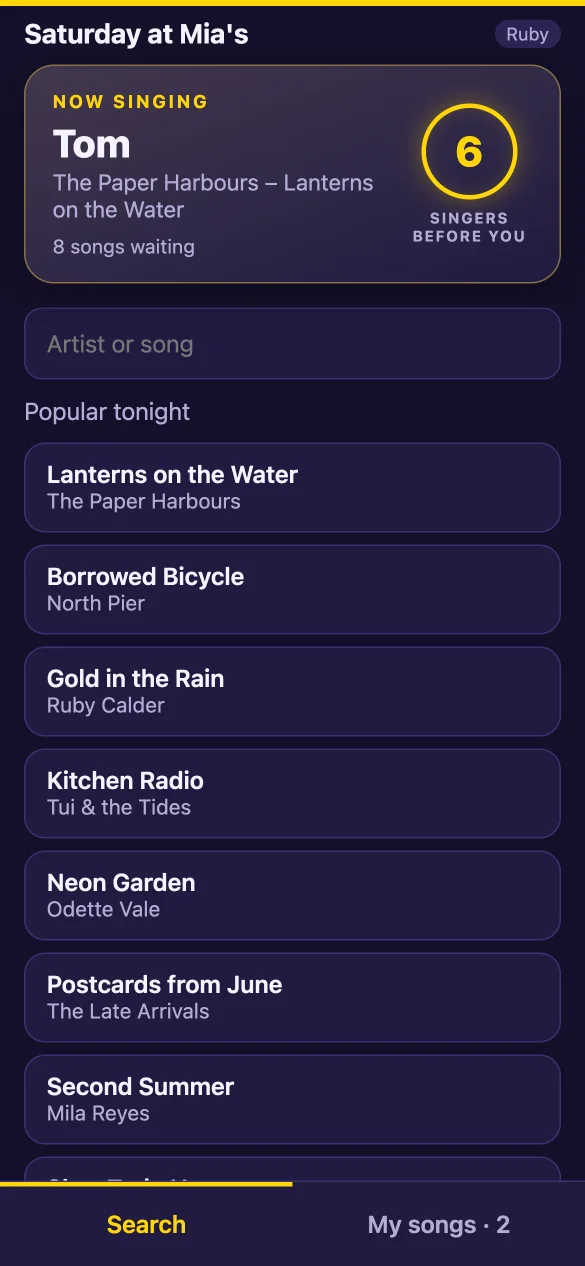
Guests scan the code on the screen and pick songs on their own phones. Nothing to install, no account, no queue at the DJ booth.
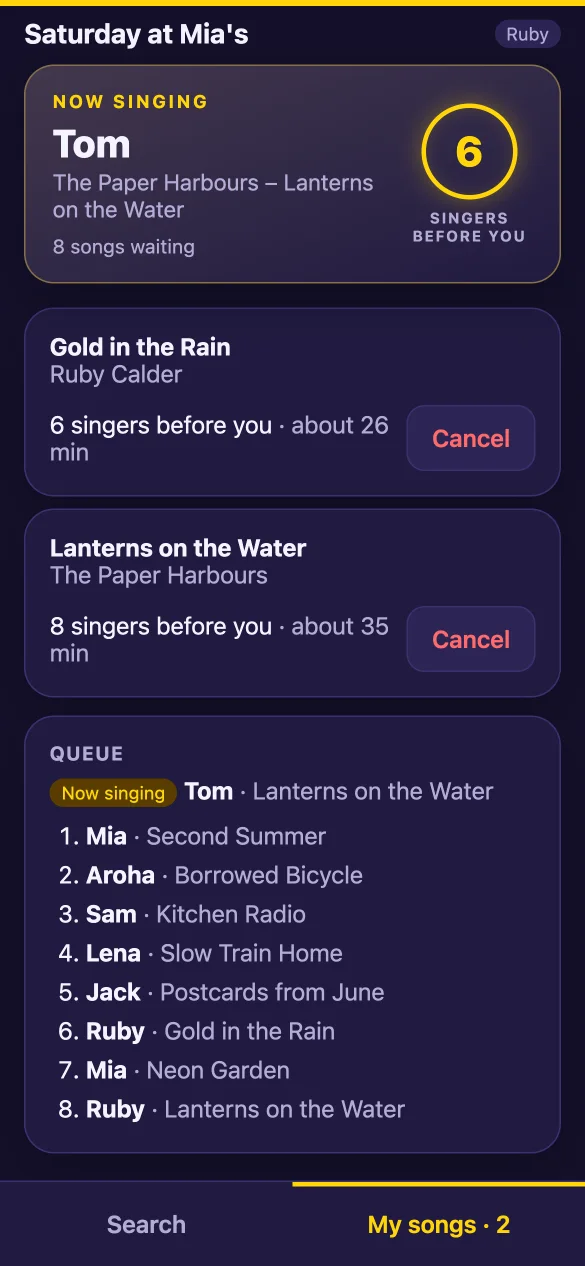
- They always see how many singers are before them, and about how long the wait is.
- A fair queue: nobody sings three in a row while others wait.
- On your Wi-Fi, or over mobile data when the computer has internet.
Karaoke
Words the whole room can read
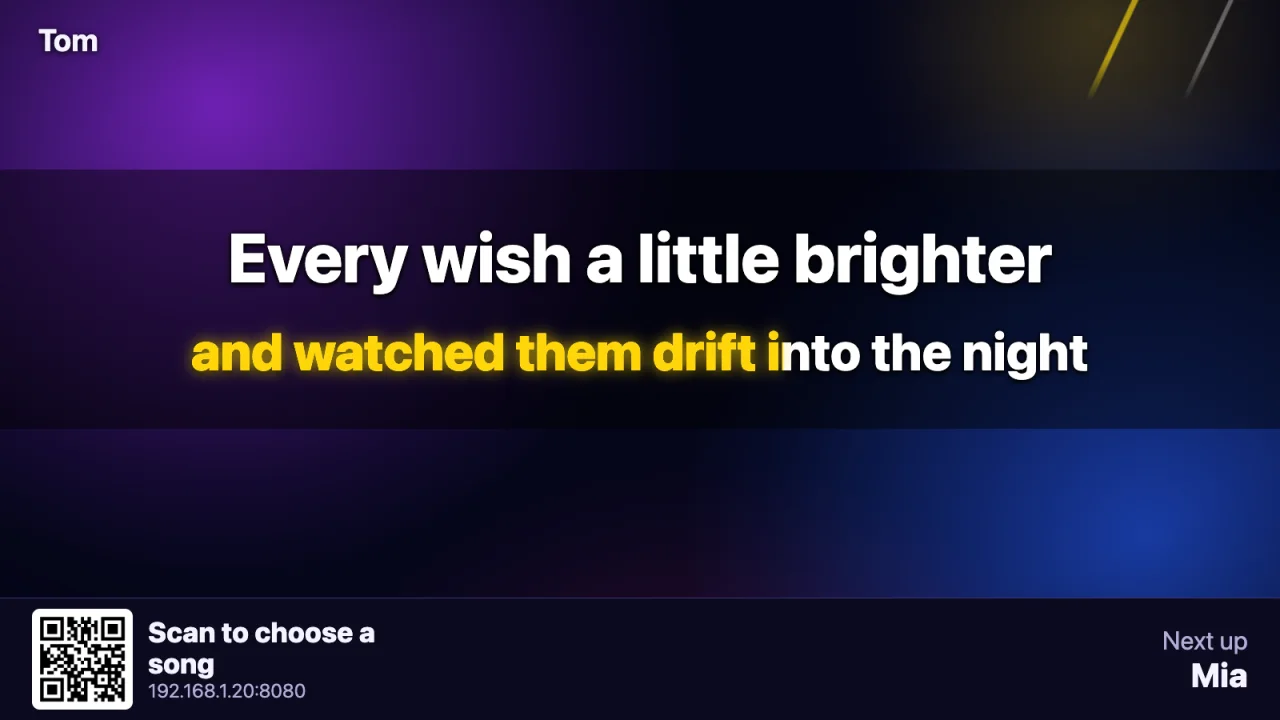
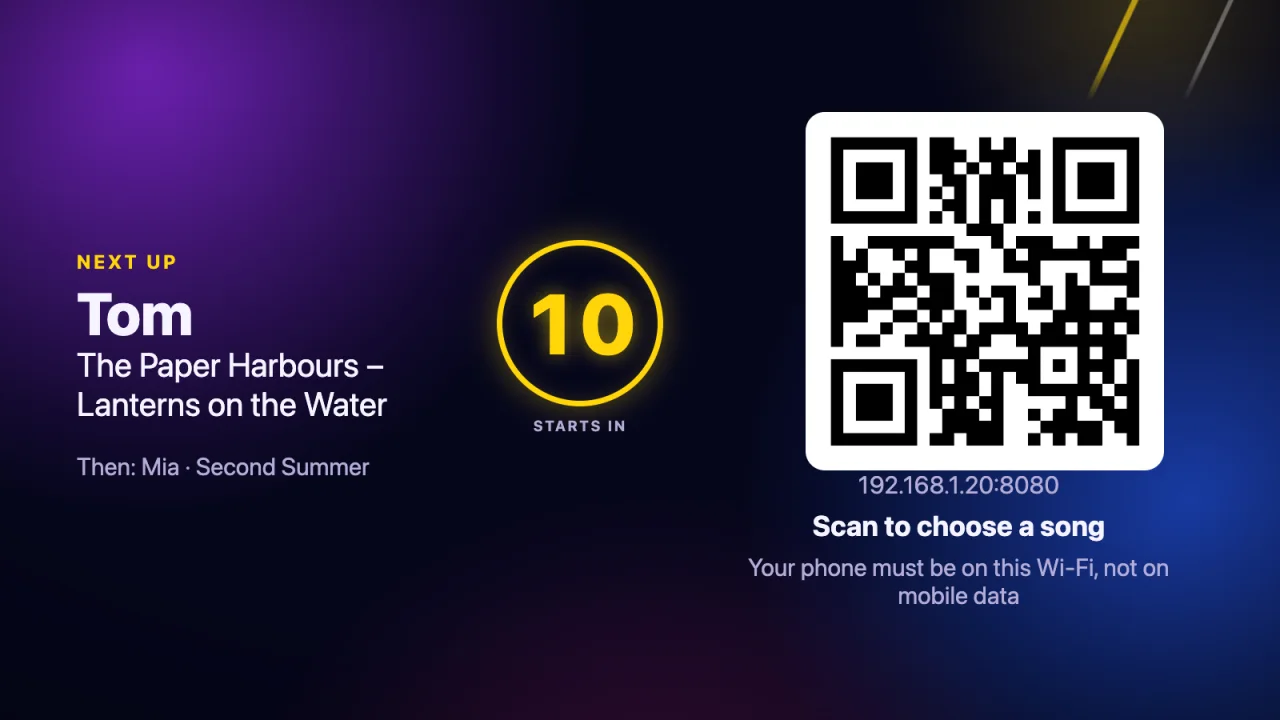
Point the app at your karaoke folder and open the screen on the TV. It plays KaraFun (.kfn) files with live highlighted words, and MP4 karaoke videos, straight from where you keep them.
- A "next up" card between singers, so nobody misses their turn.
- The code stays on the screen: new guests join at any time.
- Key, tempo and a fun score, when you want them.
Music mode
One button, and the karaoke night is a dance floor
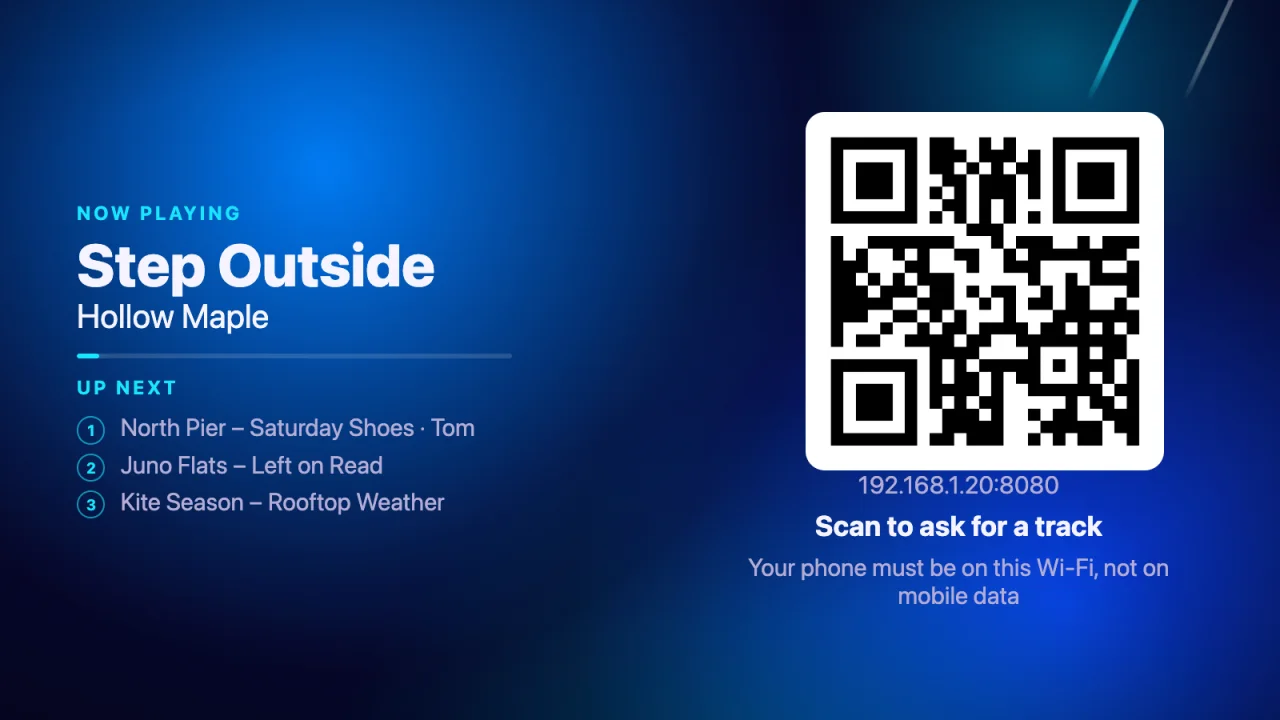
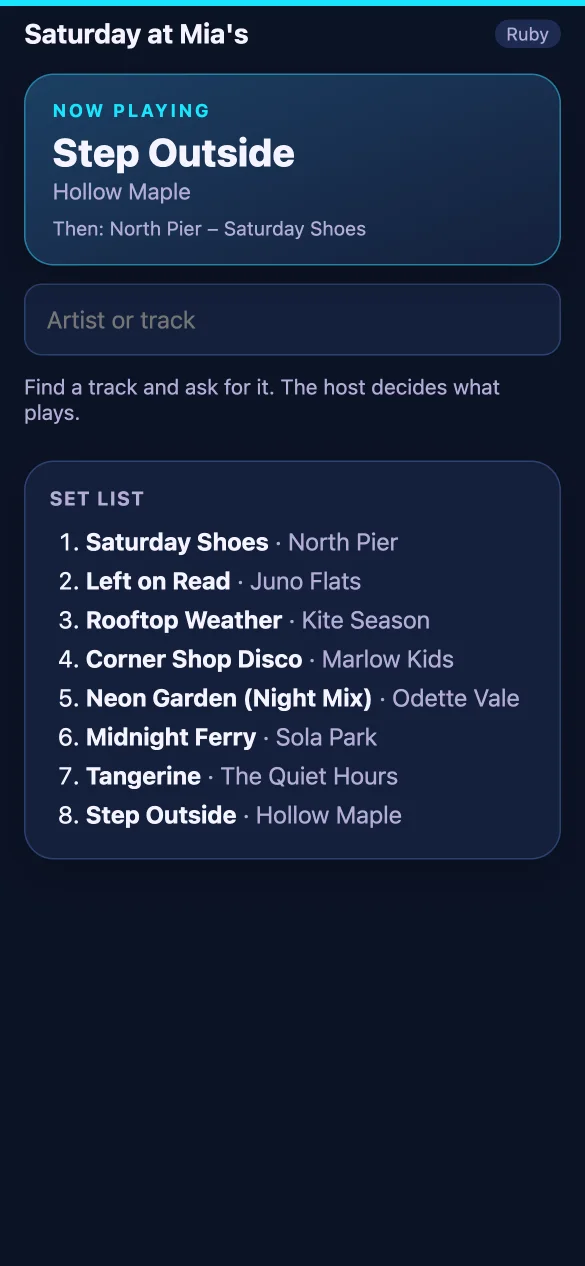
When the room wants to dance, press Music. The app plays the tracks in your own music folder and mixes one into the next. Press Karaoke, and the queue carries on where it stopped.
- Guests ask for tracks from their phones; you say yes or no.
- The set list keeps itself filled, in order or shuffled, and you can mix to the next track now.
- Quiet music between singers, too, so the room never goes silent.
Quiz mode
A pub quiz, without the paper
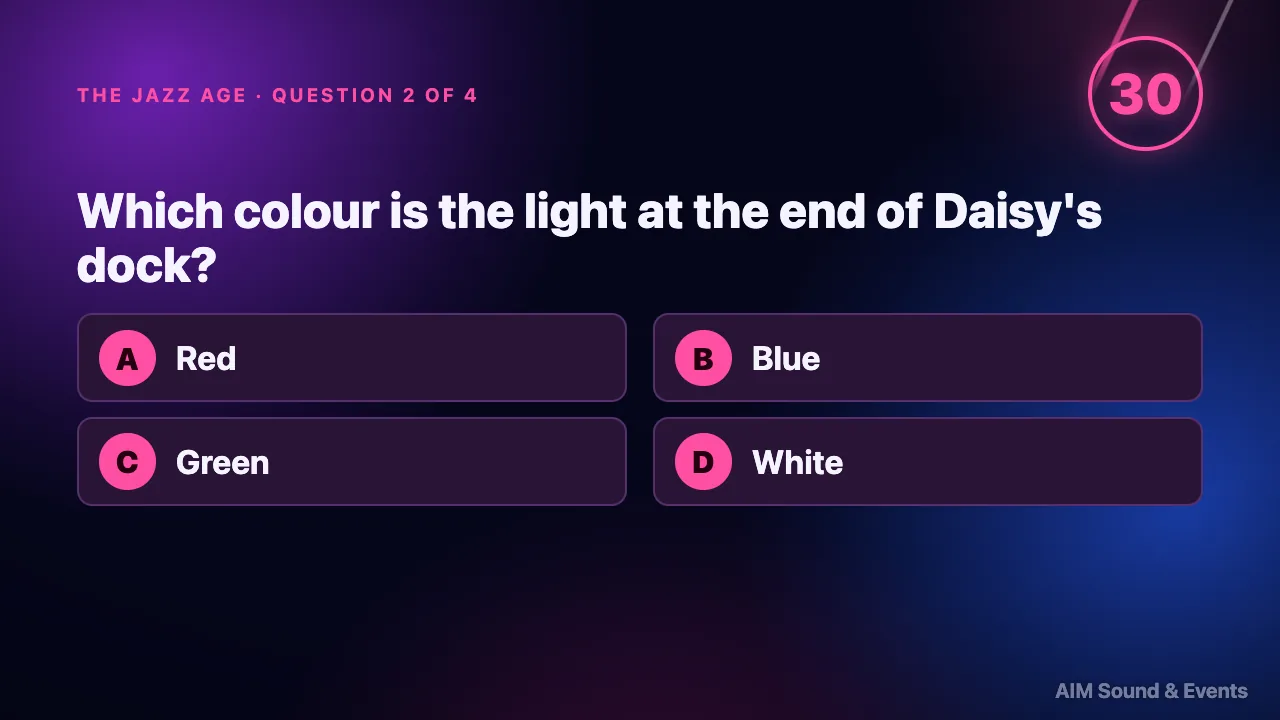
A team of any size: one phone answers, the rest follow. The captain answers for the team, and every teammate sees the question, the pictures, the clock and the team's answer on their own phone. As on paper, answers stay open all round; after a quick recap they are collected and the right answers are shown one by one.
- Teammates join by a four-character code or the QR code on the captain's phone; the captain can hand over.
- Jokers double a round, a blitz runs a whole round on one clock, a tiebreak settles a shared first place.
- Picture questions, music and video clips from your own files, and a fun fact with each answer. Pictures reach phones on mobile data too.
- Your own questions, written in the app or from a pack you bought: we supply none.
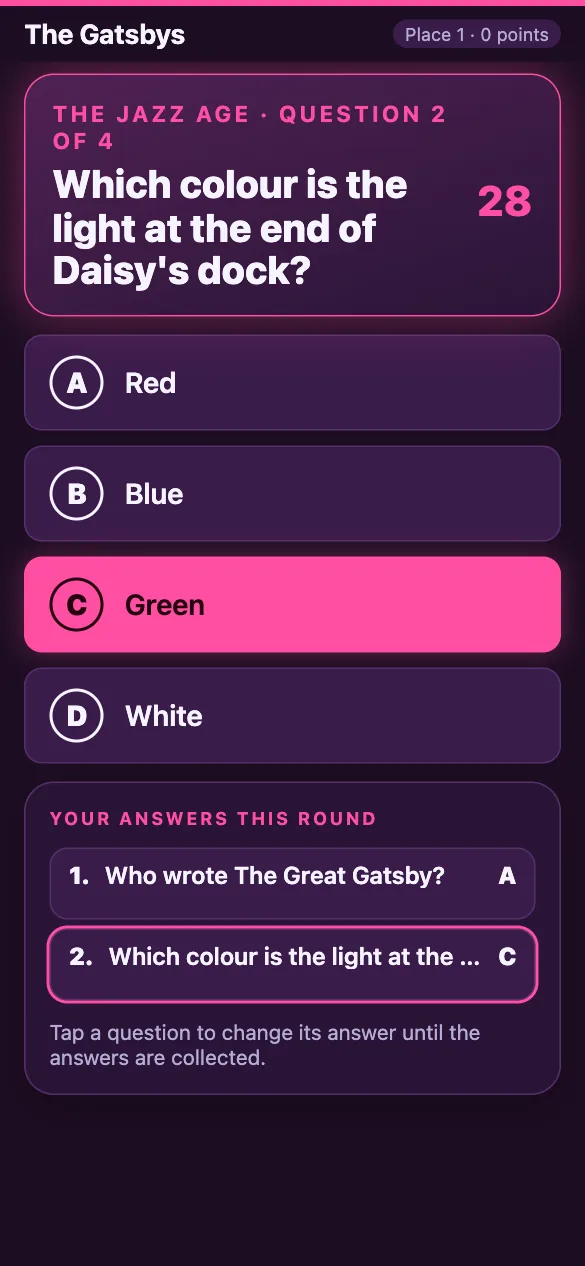
Quiz mode
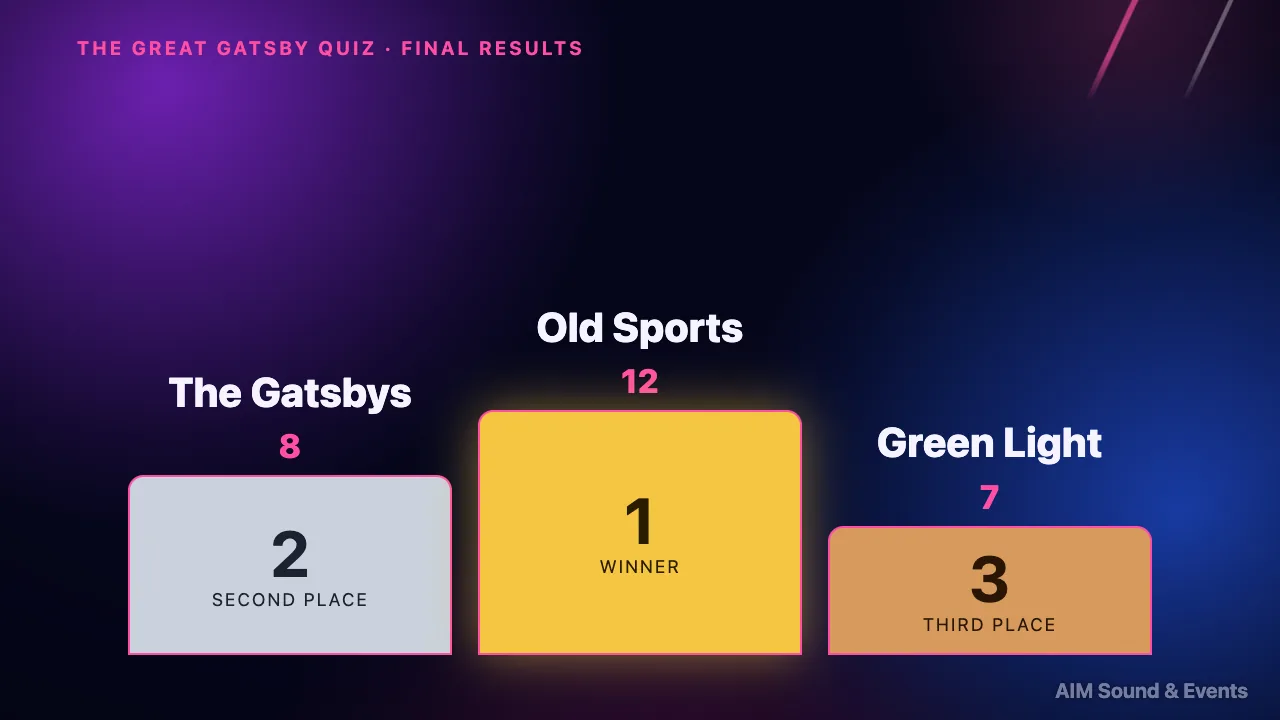
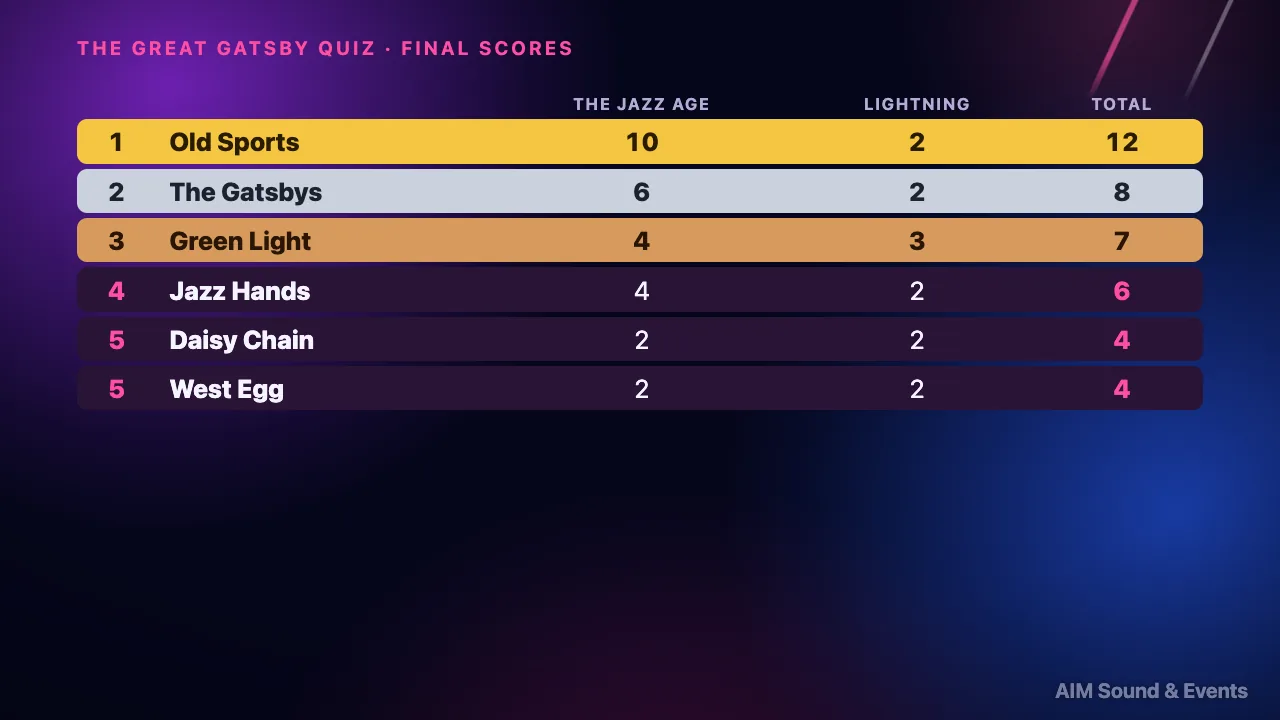
Third place, second, and the winner
A quiz night is a show. It opens with the theme of the night and the teams are introduced; every round has its title card. At the end, the podium fills from third place up, and the final table shows what every team scored in every round.
- An autopilot can run the whole night: clocks, answers, leaderboards.
- English, Russian and Ukrainian on the phones.
- Printable answer sheets for a team without a phone.
For the host
Run the night from the laptop, or from the dance floor
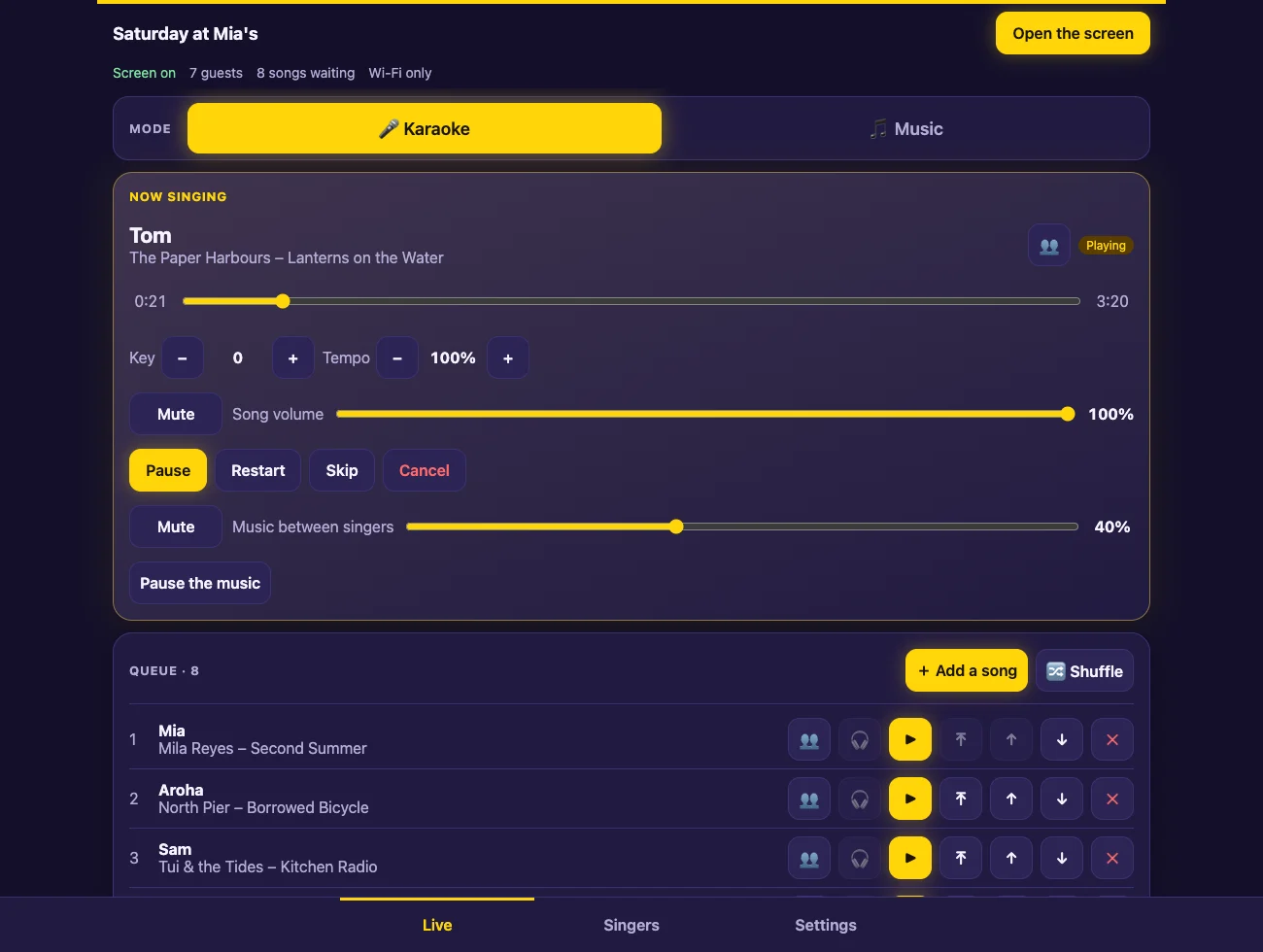
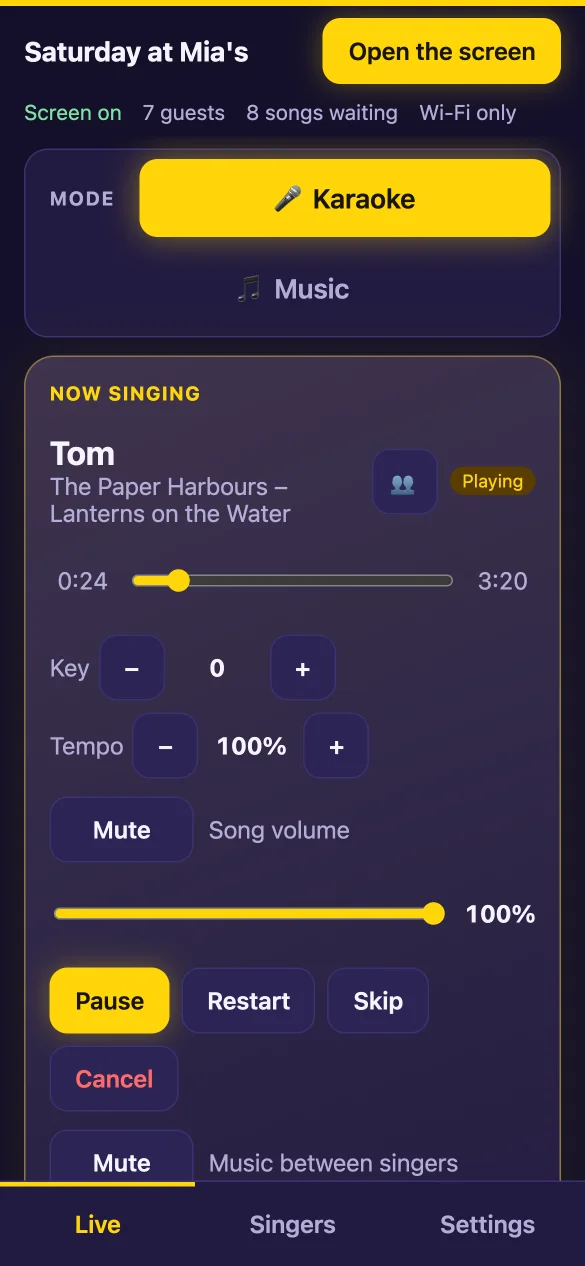
The host panel is the app on the computer. Open the same panel on a phone or a tablet on the venue Wi-Fi with a PIN, and run the quiz, the karaoke and the music while you walk the room.
- Drag to reorder, start any song now, pause, skip, jump to any point.
- Approve what guests ask for, with one tap.
- A double tap on "next" is ignored, and the quiz clock can be paused.
- Listen in your headphones before the room hears it.
And everything else
Built for a real night, not a demo
Duets and groups
Invite a friend, or leave it open for anyone to join.
Key and tempo
Change either while the song plays.
A score for fun
The screen listens to the microphones and names the night's best.
Cue in headphones
Hear a song before the room does, on a second output.
Finds it in a blink
27,000 songs answer in milliseconds, in Cyrillic or Latin, typos included.
Wi-Fi or mobile data
Guests join either way; a code on the screen can put a phone on your Wi-Fi.
Your look
Your background, your logo, lights that move with the music.
No TV? No problem
The words can go to the phone of whoever is singing.
Hold a singer
Someone stepped out? Their songs wait for them.
Songs you do not have
If you allow it, guests can ask for one from YouTube, through YouTube's own player. You approve each one.
Fair-queue switches
Order by songs sung tonight, nobody twice in a row, a limit of songs per guest a night.
The night in numbers
The quiz, the karaoke and the music in numbers, and the whole song list to keep.
Nothing lost
The queue survives a restart, and the screen keeps playing.
For venues and leagues
League nights, tickets at the door, your logo on the screen
Run a quiz series as a season. Teams sign up with their tickets, the host scans them in at the door, the points add up night after night, and the venue gets its OneMusic report after every night.
A season league
A team registers once and gets a league code. Each night gives points by place, 10, 7, 5, 3, 2 and 1, plus 1 for playing.
Standings everywhere
On the TV, on the teams' phones, and on a public standings page for each series.
Tickets with team sign-up
A quiz night in a series asks each buyer for a team name; the ticket carries the team's code and a QR code for the door.
Scan at the door
Scan tickets from your phone, with the torch on, or tick a name by hand. After the night, each ticket shows the team's place.
OneMusic report
Every song played on the night, for the venue's OneMusic return. Emailed after the night with the league or Tickets service; always a CSV file in the app.
Venue and sponsor logos
The venue's logo and its sponsors' logos on the screen.
Cards between rounds
The next night with a QR code for tickets, the standings, pictures of the venue, the logos.
Night statistics
The quiz, the karaoke and the music in numbers, for the talk after the night.
Home, Host and Venue
Three nights free. Then the key that fits your nights.
Home
NZ$9.99 a month or NZ$99.90 a year · one laptop
- Karaoke and music mode
- The quiz, with one phone per team
- The AIM Party logo on the screen
- Three languages
Host
NZ$29 a month or NZ$290 a year · one laptop
Everything in Home, plus:
- Quiz teams with a captain
- The host remote on a phone or tablet
- Venue and sponsor logos
- The OneMusic report
- Night statistics
- Fair-queue switches
- The idle screen
Venue
NZ$79 a month or NZ$790 a year · up to three laptops
Everything in Host, plus:
- The season league
- Tickets link and door scanning
- Standings kept in step on every screen
Prices in New Zealand dollars, GST included. Every computer gets three free nights first. Enter the key once in the app, in Settings → Key; cancel any time and it works to the end of the period paid. When a key ends, nothing on the computer is deleted.
Your sound
You bring the songs. We never do.
The app comes with no songs and no music, and we do not supply, sell or share any. It plays what you own, from your own disk, and never copies or changes a file. It runs on your Wi-Fi with no internet; with internet, only the song list and the queue pass through our server so phones on mobile data can join. Your music never does.
Your questions
The questions are yours, too
The app comes with no questions. Write your own in the app, with pictures and notes, or load a pack you bought as a CSV file; a template comes with it. Save the quiz as a file and run it again on any computer.
Want the night run for you? In Auckland, AIM Sound & Events brings the sound, the screen and an operator, and runs karaoke, quiz and party nights on this app.
AIM Sound & EventsQuestions about AIM Party
- Does AIM Party come with songs?
- No. AIM Party is a player and a queue for karaoke files you already have. Add the folder they are in and the app indexes it; it plays KaraFun .kfn files and MP4 karaoke videos. The same goes for music between singers: it plays the tracks in a folder you choose. We do not supply, sell or share songs or music.
- Do guests need to install anything?
- No. Guests scan the QR code on the screen and use their phone's browser, on the same Wi-Fi as the host computer or, when that computer has internet, over mobile data. They enter a name and nothing else: no account, no email.
- Does it work without internet?
- Yes. With no internet the app runs entirely on your local network: the host computer, the screen and the guests' phones only need to be on the same Wi-Fi, and nothing leaves it. When the host computer has internet, guests can also join from mobile data. Then the song list, the queue and the guests' names pass through our server so those phones can reach your computer; your songs, videos and music never do. The host can switch this off in the settings.
- What do I need to run a karaoke night?
- A Windows or Mac computer with your own karaoke files (and your own music, if you want it between singers), a TV or projector connected as a second display, speakers and a microphone, and Wi-Fi the guests can join. Press "Open the screen" and the lyrics go to the TV.
- What is music mode?
- The other half of the night. Press Music and the app stops being a karaoke machine and plays the tracks in your own music folder, mixing one into the next; guests can ask for tracks from their phones and you approve them. Press Karaoke and the queue carries on where it stopped. The music is yours: the app comes with none.
- How does quiz mode work?
- Like a pub quiz on paper, run by the app. A team of any size plays together: the captain's phone answers, and every teammate follows the question, the pictures, the clock and the team's answer on their own phone. The host opens the quiz, the teams are introduced, and each round's questions go up on the big screen; answers stay open all round, then the right answers are shown one by one with the leaderboard. Jokers, blitz rounds, picture questions and a tiebreak are built in, and an autopilot can run the whole night. The questions are yours, written in the app or from a pack you buy: the app comes with none.
- How does the queue decide who sings next?
- By rotation. A guest's second song waits until every other waiting singer has had a first, so nobody sings three in a row while others wait. The host can always move a song, start one now or put a singer on hold.
- Do I need a key?
- Not to try it: every computer gets three free nights. After that you need a key: Home (NZ$9.99 a month or NZ$99.90 a year) for karaoke, music mode and the quiz with one phone per team. A Host key (NZ$29 a month) adds teams with a captain, the host remote, venue and sponsor logos, the OneMusic report, night statistics and the fair-queue switches; a Venue key (NZ$79 a month) adds the league, the Tickets link and door scanning, on up to three laptops. Buy one at tickets.aimdev.site/party/plans and enter it once in the app, in Settings → Key. Without a key your songs, music, quizzes and settings stay on the computer.